
Features
Everything NextUp Alert does
Five kinds of reminder, a live taskbar countdown, one-click join, filters that cut the noise, and an optional AI briefing. Set it up once and stop thinking about it.
01 — The taskbar countdown
Time remaining, always on screen
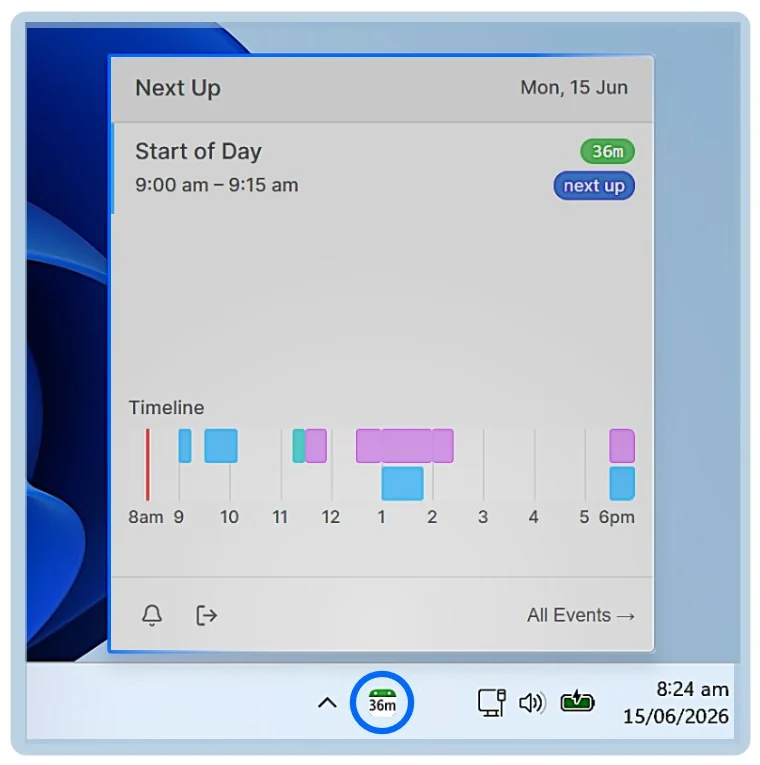
The taskbar icon shows the time to your next event and changes colour as it approaches. It counts in hours, then minutes, then seconds, so a glance tells you both how long you have and how urgent it is.
- Green, yellow and red thresholds you set yourself
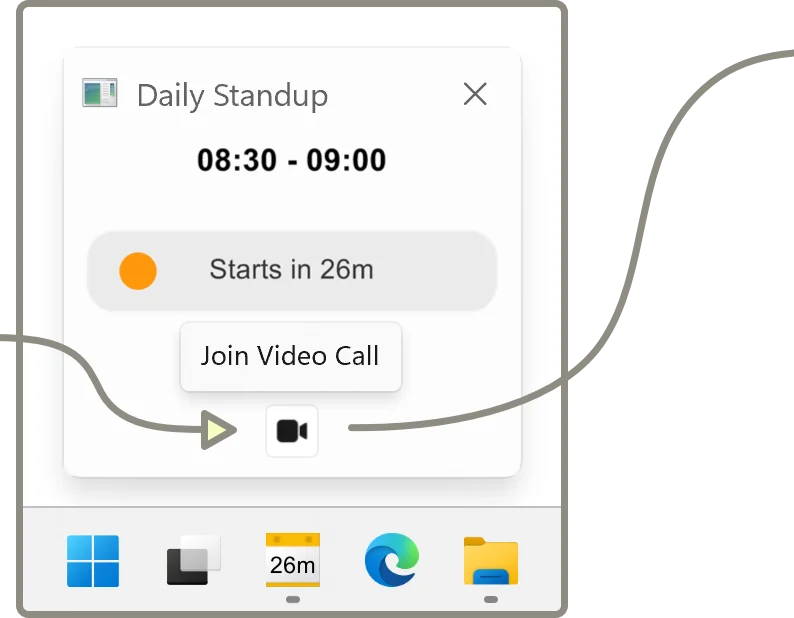
- Hover for the meeting name, times and a join button
- A system tray pop-out with a timeline of the whole day
- In-meeting countdown showing how long is left of the current event
- Automatically suppressed when meetings overlap, so the number is never ambiguous
02 — Reminders
Five ways to be told, and you pick
Up to five reminders before an event starts, from three hours down to ten seconds, and five more before it ends. Each one can use a different alert type.
Taskbar cues
The icon changes colour and shows the time remaining. Silent, constant, impossible to dismiss by accident.
Popup alerts
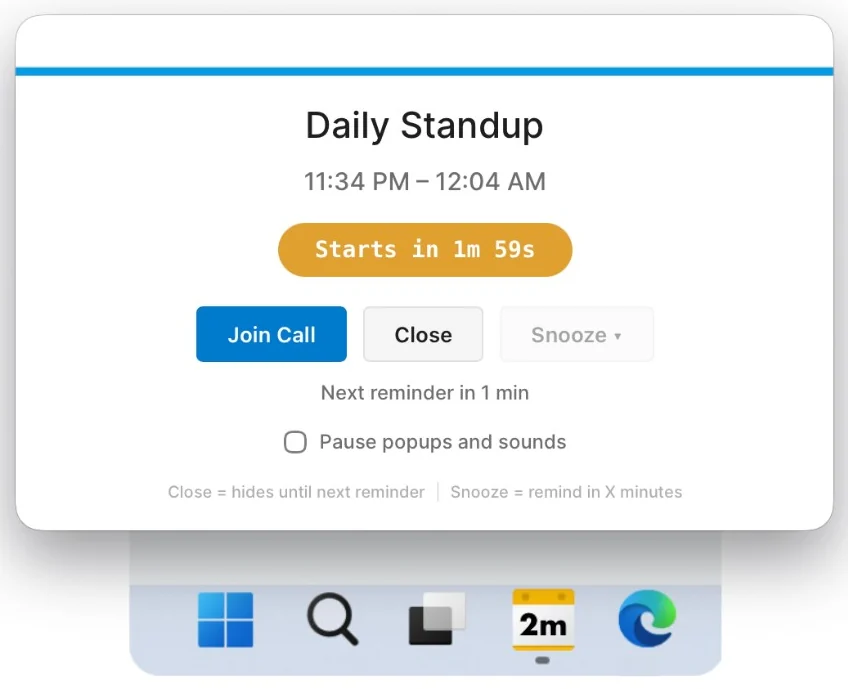
Overlays every other window, including full-screen apps, with a live countdown and a join button.
Voice announcements
Announces the countdown out loud — “Event starts in 10 minutes” — so you can keep working. Reading the actual event name is a paid AI extra, covered below.
Notification sounds
A simple tone if you would rather not have speech. Choose from the built-in set.
Escalating alarms
Volume rises gradually and keeps going until you dismiss it. For when you are away from the desk.
End-of-meeting nudges
Up to five reminders before an event ends, so you wrap up and are not late for the next one.
Popups with a live countdown
Close hides the popup until the next reminder. Snooze brings it back in a few minutes. There is also a pause switch for popups and sounds when you are presenting.
03 — Joining calls
One click, or one keystroke
NextUp Alert reads the meeting link out of the calendar entry and puts it everywhere you might need it — so you never go hunting through an invite thirty seconds before a call.
- Join from the popup, the taskbar preview or the tray pop-out
- Ctrl+Alt+M opens the link for your current or next meeting from anywhere
- Detects Microsoft Teams, Zoom, Google Meet and other platforms
04 — Filters
Not every meeting deserves an alarm
A reminder app that shouts about everything gets muted within a week. Filters are how NextUp Alert stays worth listening to.
Two actions
Filter out hides an event completely. Mute keeps it visible but silences its sounds and countdowns.
Six things to match on
Title keywords, organiser, event status such as declined or tentative, all-day events, events with no video call, and past events.
Dismiss a single meeting
Stop reminders for one occurrence without touching the rest of a recurring series.
Mute everything, briefly
A global mute for sounds that leaves the countdowns visible, and resets itself on restart so you cannot forget it is on.
Filters change nothing in your calendar
Filtering a declined meeting out of NextUp Alert does not decline it again, move it, or notify anyone. It only affects what this app shows and says.
05 — Optional AI
A briefing before the day starts
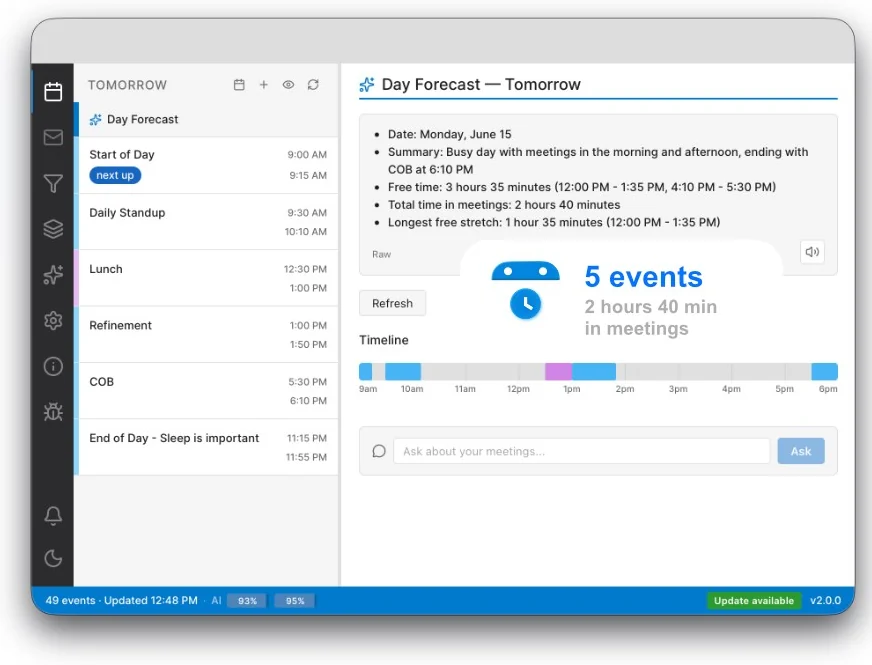
The day forecast reads your schedule and summarises it: how many events, how much of the day is in meetings, and where your longest free stretch is. Written, spoken, or both — and you can write the prompt yourself.
- AI voices that speak event names with natural intonation
- Smart notification rules — be told when an event is moved or cancelled
- Ask questions about your own schedule in the app
These are the paid extras. Everything else on this page is free. AI features are off until you turn them on, and what they send is set out in the privacy policy.
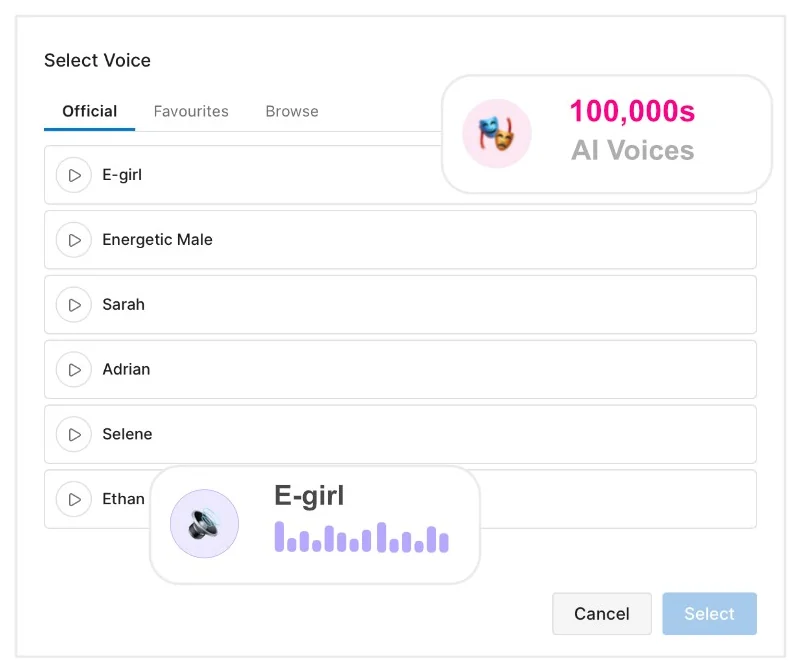
Pick a voice that gets your attention
Six curated voices, plus a large library of community ones. Swap whenever you like and reminders re-synthesise straight away.
06 — Calendars
Google Calendar or Microsoft 365
Sign in with an account you already have. Nothing to migrate, no new password, and your invites keep behaving exactly as they do now.
Google Calendar
All your calendars including shared ones, synced every five minutes. Choose exactly which ones NextUp Alert watches.
Outlook & Microsoft 365
Works whether or not Outlook is open, because it talks to the calendar service directly rather than the desktop app.
One timeline
Every calendar on the account you connect, merged in order, so a clash is visible before it becomes a problem.
07 — The small things
The details that decide whether you keep it
No browser needed
It keeps working with every browser window closed. No tab to leave open, no extension to install.
ARM64 ready
Built for Surface Pro X and Copilot+ PCs as well as x64 Windows 10 and 11.
Survives sleep
Detects wake from sleep or hibernation, then refreshes events and restarts timers.
Works offline
Already-downloaded events still fire. It re-syncs by itself when the connection is back.
Starts with Windows
Optionally launches at boot straight to the system tray.
12 or 24 hour
Whichever clock format you actually think in.
Full event details
Description, organiser, location, attendees and links, one click away.
Overlap handling
Back-to-back and partially overlapping meetings are detected and handled sensibly.
Set it up once. Forget the clock.
Free on the Microsoft Store, and about a minute to connect your calendar.